Tactile feedback · evidence review
From Tactile Sensing to Robot Action: What the Evidence Shows
Does better touch sensing improve robot manipulation? Compare detection, control and task evidence from six studies, with trial counts, training limits and verified resource access.
Updated 2026-09-19 by RoboSkin.ai Editorial Team
- 10
- sections
- 3
- questions
- 5
- next routes
Short answer
What you need to know
- 1
Better tactile perception can improve robot actions, but a higher classification score alone does not establish better manipulation. The signal must arrive in time, enter a useful representation, and drive a controller trained for the task.
- 2
The strongest evidence here comes from matched input ablations and explicitly defined physical outcomes. A simulation benchmark, a predicted touch map and a real-robot success rate answer different questions.
- 3
All experimental results below are reported by the original authors. RoboSkin checked papers and resource pages on September 18, 2026; we did not collect these datasets, run these experiments or independently reproduce the results.
Topic 01
Continue with the implementation evidence
The paper-specific reviews expand the measurement and implementation details behind this comparison: independent slip labels and latency tails, the coupling between control rate and history, and the sensor-to-camera transformation used by contact overlays. Each retains the source version and current resource-access boundary.
Topic 02
Physical AI tactile feedback evaluation metrics: three different claims
Perception accuracy or Macro F1 measures agreement with labels under a particular split. It says little about whether a robot receives the right signal before losing contact. Slip latency measures time from a defined onset to detection; it still leaves communication, control computation and actuator response outside the outcome unless those stages are explicitly timed.
Task success asks whether the robot achieves a defined physical goal within a budget. It can improve because of touch, extra demonstrations, a different model, a recovery behavior or easier initial conditions. To attribute the improvement to tactile feedback, compare policies with matched training and evaluation, then inspect failures as well as average scores.
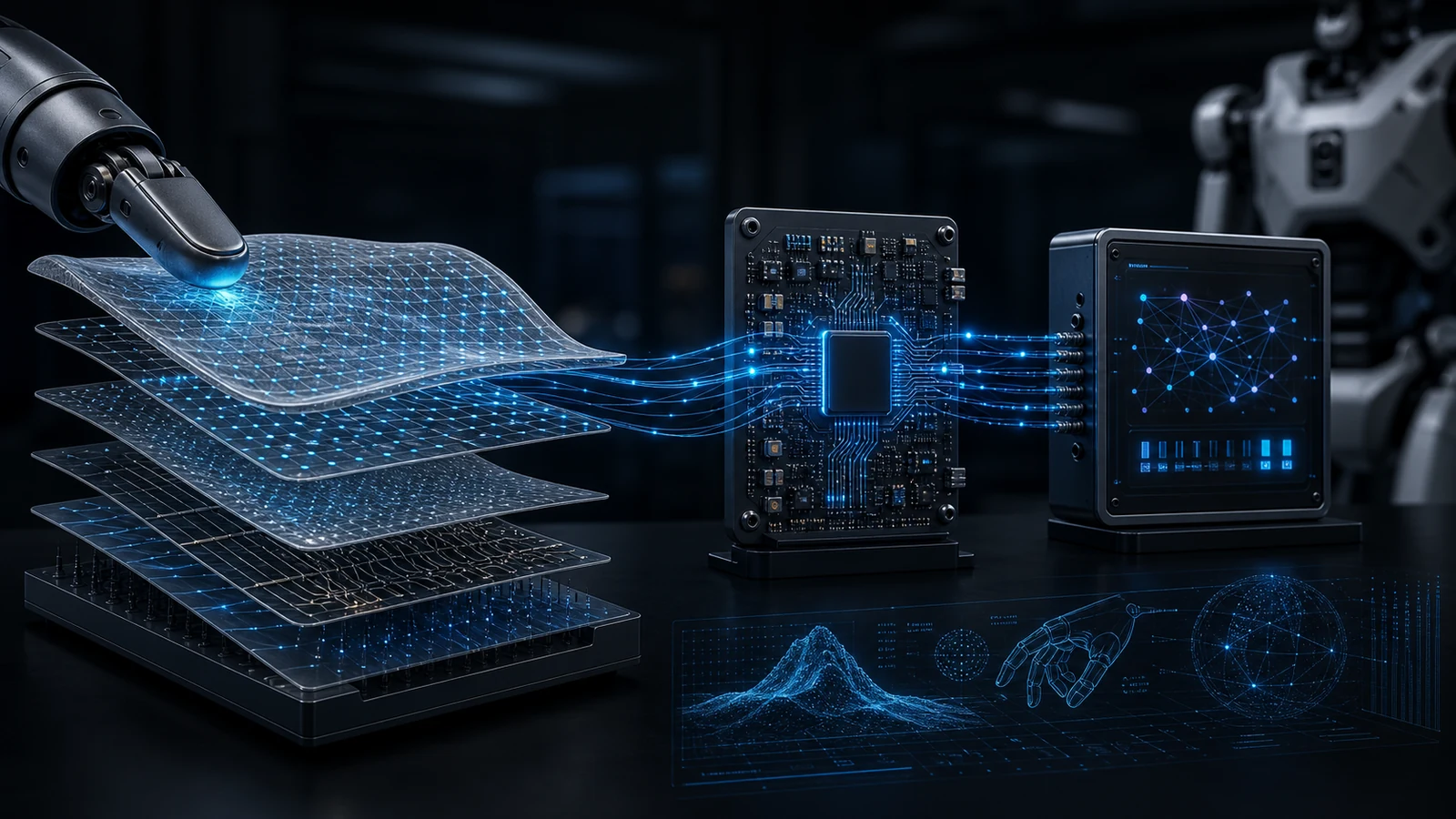
Evaluate latency, synchronization, drift, repeatability, and task outcome together. Follow the whole chain: contact → timestamped observation → useful feature → action command → actuator response → physical outcome. The studies below expose different weak points in that chain. Their percentages should not be ranked against one another.
Topic 03
SlipSense: detection is only the beginning of recovery
SlipSense combines a TacV5 normal-pressure array sampled at 240 Hz with accelerometer data sampled at 8 kHz. The v1 study reports over 1.4 million synchronized frames from 37 objects, including 28 training objects and 9 held out for evaluation. Its default-window result is about 96.7% Macro F1; Table 1 separately reports 96.77% for UMI in-distribution and 95.75% for held-out-object UMI evaluation. Those are classification results, not grasp success rates.
The authors report that 76% of slip events are detected within 23.1 ms, including 2.3 ms average model inference on an RTX A4500. This is neither a maximum delay nor the complete anti-slip loop time. In a separate physical intervention test, four operators pull 10 unseen objects over 100 trials: the controller prevents loss in 95/100 trials, with about 50 ms from detection to peak grasp force. These timings come from different measurements and should not be added into a claimed universal latency.
All 100 pull events were detected, but five objects were still lost when the inward recovery motion pushed an edge-grasped cable out. Better detection cannot repair a poorly chosen action. The paper also leaves quantitative latency during active robot manipulation unresolved. Transfer is across TacV5 units, mounting locations and platforms; it does not demonstrate transfer to arbitrary tactile sensor types.
Topic 04
Touch2Trace: the policy needs the right history at the right rate
Touch2Trace uses TacV5 pressure sensing on a fixed Tesollo DG-5F hand. In the matched 60 Hz TF-GMM comparison, adding tactile observations to joint positions increases mean Ethernet-cable tracing distance from 0.2 cm to 20.1 cm. The reported 93% is SR@10: reaching at least 10 cm. At the stricter 20 cm threshold, SR@20 is 57%. Each condition uses three seeds and 30 evaluation trials in total; starts aborted before five seconds are excluded.
The default policy uses 15 frames, roughly 250 ms of history at 60 Hz, and a frozen pretrained tactile encoder. With 12 task demonstrations totaling 10.1 minutes, freezing outperforms continued fine-tuning: 20.1 cm versus 4.7 cm. This supports preserving useful representations in this small-data setting, not a general rule that tactile encoders should never be fine-tuned.
Frequency and history must be read together. Holding the stack at 15 frames gives the 30 Hz condition a longer 500 ms window; its distance is 5.7 cm. Holding the window near 250 ms instead reduces that 30 Hz result to 0.2 cm. The reported 60 Hz and 250 ms operating point is task-specific, not an industry standard.
Training uses one USB cable in ring routing, with evaluation on three additional cables and limited routing changes. The fixed hand controls only 8 of 20 degrees of freedom, without an arm. This is evidence for bounded cable tracing, not general dexterous manipulation.
Topic 05
Visible Touch: put contact where the visual policy can use it
Visible Touch renders contact markers into the RGB observations already consumed by a visuomotor policy. This avoids adding a dedicated tactile encoder, but still requires sensor geometry, camera-coordinate calibration, signal normalization and policy training. The real setup uses an xArm7, a parallel-jaw gripper, two cameras and custom magnetic contact sensors.
In the v1 real-robot evaluation, each condition has 30 trials per task. Multi-arrows raises complete test-tube transfer and insertion from 0/30 to 16/30. Its preceding tube-pick stage reaches 24/30, which is not the complete task success rate. Charger insertion remains only 2/30, despite 18/30 successful picks. The final stage, not an average of intermediate stages, defines end-to-end completion.
The study compares overlays with position-only markers, binary contact and the same contact arrows delivered as a separate image stream. These controls help separate geometric localization from contact content and its spatial delivery. Training shares the underlying demonstrations across conditions: 100 collected per task, 397 accepted overall. Benefits remain tied to the tested sensor, calibration and task distribution.
Version choice matters: the official project page still identifies anonymous authors and submission status, and lists a 28.9-point miniVLA fine-tuning gain; arXiv v1 reports 25.3 points under its stated comparison. This review uses arXiv v1 throughout. The real-world insertion counts agree across both sources. No working official code or dataset download was identified on the reviewed project page, so its openness claims are not treated as a reproducible release.
Topic 06
Bench2Dex and STAR: simulation coverage and physical data answer different questions
Bench2Dex provides 26 bimanual task–embodiment settings across 12 dexterous hands and about 1,300 teleoperated simulation demonstrations. Its tactile maps encode simulated contact geometry, not a physical sensor’s measured output. The benchmark evaluates stable completion: a terminal predicate must remain true for its configured dwell time, 0.5 seconds by default. Partial stage completion is a separate metric.
Each policy has 50 rollouts per setting and perturbation channel; four policies and four channels yield 20,800 evaluation episodes. This is useful for controlled robustness comparisons, but the main policy results are not a tactile-on/off ablation. Supporting multiple hands also does not prove zero-shot transfer between hands. See the existing Bench2Dex review for the observation schema and evaluation protocol.
STAR instead reports 200 hours of physical bimanual data: 10,576 trajectories over 65 tasks, with vision, tactile readings, state and commands aligned by timestamp to 30 Hz. That alignment rate is not the raw tactile sampling rate. The approximately 61% four-task mean follows 100 task-specific post-training trajectories per task and 20 evaluation trials per method per task.
STAR’s evaluation objects are absent from pretraining but present in task-specific post-training; only the evaluated initial configurations are held out at that stage. Calling this unseen-object zero-shot generalization would erase the adaptation step. In the two-task tactile ablation, removing touch reduces mean success from 60% to 45%, with the improvement concentrated in earbud flipping; stacked-book retrieval remains 55% in both conditions. Sensor coverage and task mechanics matter.
Resource availability is independent of scientific value. Bench2Dex has public code and file listings, with dataset, asset and weight licenses still unverified. STAR’s official project describes the dataset but exposes no verified download or reuse license. The directory therefore lists the former as simulation data with a public manifest and the latter separately as a paper-linked data candidate.
Topic 07
PredTac: useful predicted contact is not proof that sensing is replaceable
PredTac trains a tactile predictor from paired visual/state inputs and tactile supervision, then uses its predictions for downstream policy learning and execution. On a RealMan RM65B with a WHEELTEC gripper and PaXini M3025 arrays for the measured-touch condition, the three physical tasks each have 30 trials per condition. Predicted-touch ACT averages 70.0% success, versus 72.2% with measured touch and 21.1% for visual ACT.
These means weight USB insertion, barbed-connector manipulation and valve rotation equally. USB and Barbed completion are judged manually; Valve requires a recorded angle from 85° to 95° while maintaining the grasp. Near observed averages over these trials do not establish statistical equivalence or interchangeability under sensor noise, new objects or unobserved disturbances.
Barbed also uses different ACT sizes and training schedules: visual ACT has 512 hidden units, seven decoder layers and 10,000 updates; tactile ACTs have 256 units, four layers and 4,000 refinement updates. That comparison measures deployed systems, not an isolated change of input modality. The predictor still needs tactile targets. The supported claim is reduced dependence on measured touch in the tested downstream stages, not learning without tactile data or a general replacement for tactile sensors.
Topic 08
Evidence comparison: read the protocol before the percentage
This table compares what was measured, not who won. All figures are author-reported; no independent reproduction was verified in this review. Scroll horizontally on small screens to read the training and access columns. The versioned sources directly below support each row.
| Study | Perception or control | Hardware / task | Metric and success definition | Trials | Tactile ablation | Task training | Generalization boundary | Resource access |
|---|---|---|---|---|---|---|---|---|
| SlipSense | Classification + reactive control | TacV5; UMI / Tesollo; induced slip and pulls | ~96.7% Macro F1; 76% ≤23.1 ms including inference; 95/100 losses prevented | 3 model seeds; 100 pulls / 10 unseen objects | Pressure, vibration and fused inputs | 28 training objects; slip labels from test-stand displacement | Held-out objects and TacV5 units; active-motion latency unresolved | Paper available; official code/data release not verified |
| Touch2Trace | Learned physical control | Fixed DG-5F + TacV5; cable tracing | 0.2→20.1 cm; SR@10 93%, SR@20 57% | 3 seeds × 10 trials; <5 s starts excluded | Matched proprioception vs +touch at 60 Hz | 12 demos / 10.1 min on USB-0 ring; pretrained encoder | 3 additional cables / limited routing; one fixed hand | Paper available; dataset openness not established |
| Visible Touch | Simulated + physical control | xArm7 + magnetic taxels; insertion | Tube final stage 0/30→16/30; charger 2/30 | 30 per task / condition | Position-only, binary, separate stream, overlay | 100 demos collected / task; 397 accepted; policy fine-tuning | Task-specific setup and calibrated viewpoints | Project public; code/data download unverified |
| Bench2Dex | Simulation benchmark | 12 hand embodiments; 26 bimanual settings | Stable terminal success; 0.5 s default dwell; stage progress separate | 50 / setting / channel / policy; 20,800 total | Main results do not isolate tactile input | Task demonstrations; scratch training or pretrained-policy fine-tuning | Scene perturbations; no proven zero-shot cross-hand transfer | Public code / data manifest; data, asset and weight terms unknown |
| STAR | Physical policy learning | Bimanual mobile robot; tactile hands; 4 tasks | ~61% full-task mean; subtask completion separate | 20 / task / method | No-touch and masked-touch tests on 2 tasks | 200 h pretraining + 100 task demos / task | Evaluation objects used in post-training; held-out initial states | Paper + project; data candidate, no verified download/license |
| PredTac | Predicted-touch physical control | RM65B; USB, Barbed, Valve | 70.0% predicted vs 72.2% measured; 3-task mean | 30 / task / condition; 270 physical trials | Visual / predicted / measured; separate simulation interventions | Tactile-supervised predictor + task ACT; Barbed recipes differ | Tested tasks; no equivalence or broad replacement proof | Paper available; official code/data release not verified |
Topic 09
Choose papers and data by the decision you need to make
Start with the failure you need to reduce. SlipSense helps separate detection from recovery; Touch2Trace shows why temporal context and matched policy tests matter; Visible Touch tests how contact reaches a visual policy. Bench2Dex supports simulated protocol development, STAR informs physical data and post-training design, and PredTac probes when predicted contact is useful.
- Define a physical success criterion, timeout and excluded-trial rule before choosing a metric. Preserve both partial progress and complete success.
- Match model, training budget, initial conditions and trial counts when testing tactile-on/off policies. Report task-specific results and uncertainty, not only a pooled mean.
- For latency, log onset, acquisition, inference, command and actuator response on compatible clocks. A sensor rate, alignment rate and control rate are different quantities.
- For reuse, pin paper and repository versions; inspect actual files, units, action semantics, splits and provenance. Public file listings are not payload validation.
- Check code, dataset, model and third-party asset terms separately. Keep unknowns explicit; choose another resource if access or legal reuse cannot yet be established.
Topic 10
Versions, review status and resource checks
Sources were reopened on September 18, 2026. Each arXiv record then listed v1 only: Bench2Dex, SlipSense, Touch2Trace and PredTac were first submitted September 14; Visible Touch September 12; STAR September 11. This review cites those exact v1 full texts rather than silently mixing later project-page figures.
The arXiv comments for SlipSense, Touch2Trace and Visible Touch report CoRL 2026 acceptance. This is an author-reported publication status in the reviewed records; conference proceedings were not independently checked. Bench2Dex is marked a technical report; no peer-reviewed acceptance was verified for Bench2Dex, STAR or PredTac. Acceptance status does not constitute independent replication.
Bench2Dex code revision f96a8b2b4eb475483af66e9e03916b35bc43f1be has an MIT root license. The public teleopdata manifest at b195787c65046083e6a43776b67bdf1389dfa3eb lists 5,200 HDF5 paths plus .gitattributes; files are not independently counted demonstrations. No payloads were downloaded or checksums validated. Dataset, model-weight and collection-wide asset terms remain unknown.
The STAR and Visible Touch official pages were checked directly. No separate official project or code/data release was linked from the reviewed SlipSense, Touch2Trace or PredTac paper records. Their resource status remains unverified, not a claim that no release can exist elsewhere. Only Bench2Dex enters the confirmed file-manifest category; paper-only methods do not receive Dataset structured data.
Paper routes
Start with source-backed RoboSkin briefs
 Robot learning / 2026-09-18DexTouch-WM learns robot contact dynamics from human touchHuman tactile pretraining improves the paper’s contact predictions, but synthetic training data does not consistently improve real-robot policy scores. Here is what each experiment measures.Robot learning / 2026-09-18Bench2Dex benchmarks bimanual robots with simulated touchBench2Dex connects teleoperation, replay, tactile maps, and evaluation across 12 hand embodiments. We examine the data contract and distinguish simulation access from physical sensor validation.
Common questions
FAQ for this topic
Does higher tactile accuracy guarantee better manipulation?
No. Timing, representation, action selection and actuator response can still fail. Use a matched tactile ablation and a clearly defined physical outcome to test whether perception improvements are useful.
Is 23.1 ms the full SlipSense recovery time?
No. It describes detection including inference for 76% of measured slip events. The separate pull-test experiment reports about 50 ms from detection to peak force.
Are STAR and Bench2Dex equally ready to download?
No. Bench2Dex has a verified public file manifest, though payload integrity and dataset licensing remain unchecked. STAR is a paper-linked data candidate with no verified download or reuse license in the reviewed official project.